How to Use Canva for Real Estate Marketing
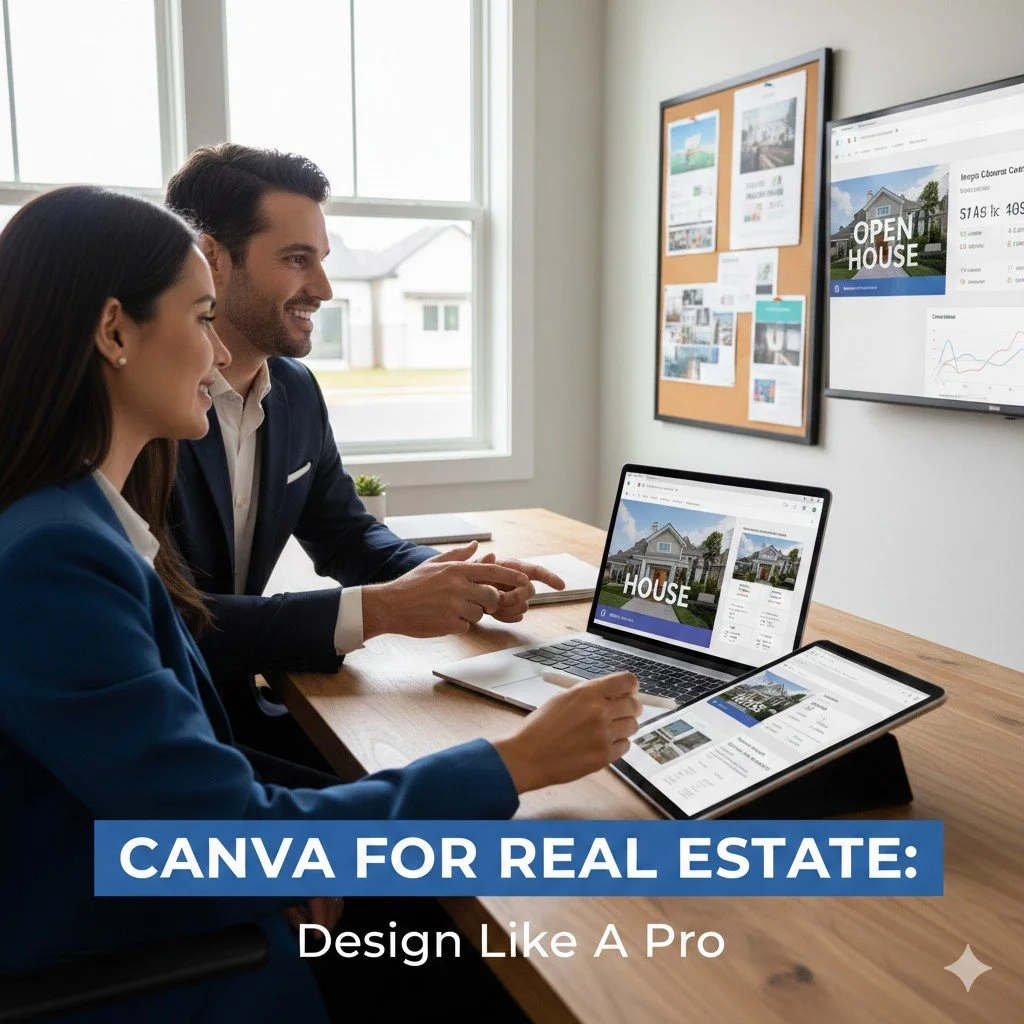
Are you a real estate agent looking to elevate your marketing game? In this post, we’ll explore how to use Canva for real estate marketing, unlocking the potential of this powerful design tool to create stunning property listings, eye-catching flyers, and engaging social media graphics. Whether you're designing a brochure for an open house or crafting a logo that represents your brand, you’ll find practical tips and templates to help you stand out in the competitive housing market. Let’s dive in and transform your marketing strategy with Canva!
Creating Stunning Property Listings
High-quality images are the backbone of any effective property listing. When using Canva for real estate, agents should prioritize selecting images that not only showcase the property's best features but also convey the right atmosphere. For instance, a well-lit living room can create an inviting feel, while a cluttered kitchen can detract from the property's appeal.
Selecting high-quality images
To make your listings stand out, use images that are high resolution and well-composed. Avoid generic stock photos; instead, opt for authentic images that reflect the actual property. If you're marketing a luxury home, consider hiring a professional photographer to capture its essence. This investment pays off when potential buyers see the property as it truly is, enhancing their emotional connection and interest.
Using Canva's layout tools
Canva offers intuitive layout tools that allow real estate professionals to create visually appealing listings quickly. The drag-and-drop feature simplifies arranging images and text blocks. Using grids can help in maintaining alignment and balance in your design. However, be cautious not to overcrowd your layout; simplicity often leads to better engagement.
- Utilize grids for uniformity in layouts.
- Experiment with Canva's templates designed specifically for real estate.
- Ensure sufficient white space to enhance readability.
Incorporating key property details
Incorporating key details like square footage, number of bedrooms, and unique features is essential in any property listing. Use clear fonts and contrasting colors to ensure this information stands out without overwhelming the viewer. For example, if you’re showcasing a home with a newly renovated kitchen, highlight this feature prominently with a bold font or color scheme.
Remember: clarity is key—don’t let design overshadow essential information.
Designing Promotional Materials
Creating promotional materials is a critical aspect of real estate marketing. Canva provides a versatile platform for designing everything from flyers to brochures and social media graphics, tailored to capture the essence of properties and engage potential buyers effectively.
Creating flyers and brochures
When designing real estate flyers with Canva, focus on clarity and visual impact. Use high-quality images and concise text that highlights the property's key features. Avoid clutter; instead, utilize Canva's templates as a starting point to maintain professionalism while ensuring that your unique branding shines through. A well-designed flyer can significantly increase foot traffic during open houses.
Utilizing color psychology in designs
Color psychology plays a vital role in how potential clients perceive your materials. For example, blue often conveys trust, making it suitable for branding, while warm colors like red or orange can create urgency. When using Canva for real estate marketing, choose colors that align with your brand identity and evoke the desired emotional response from buyers. Misjudging color choices can lead to disengagement or miscommunication of your brand's message.
Adding QR codes for virtual tours
Incorporating QR codes into promotional materials is an innovative way to facilitate virtual tours. With Canva, you can easily generate QR codes that link directly to property listings or video tours. This not only enhances the user experience but also demonstrates your tech-savvy approach as a realtor. However, ensure that the QR code is prominently placed and large enough to be scanned easily; otherwise, it may go unnoticed.
Effective promotional materials should balance aesthetics with functionality—designs must attract attention while clearly communicating essential information.
Leveraging Social Media Graphics
Social media is an essential platform for real estate marketing, and creating visually compelling graphics can set you apart. When using Canva for real estate, agents can design graphics that not only attract attention but also convey important information succinctly. The goal is to create posts that engage potential clients, whether through Instagram, Facebook, or other platforms.
Crafting eye-catching posts for Instagram
Instagram’s visual nature makes it ideal for showcasing properties. Use Canva's real estate templates to create posts that highlight stunning features of your listings. For instance, a carousel post can display multiple angles of a property or different rooms, allowing viewers to experience the space more fully. However, it's crucial to maintain consistency in branding—use similar colors and fonts across posts to strengthen your identity.
Using Canva's animation features for stories
Canva’s animation features allow you to create dynamic stories that can capture attention in a crowded feed. For example, animating text overlays on property photos can make the key selling points pop. However, overusing animations can distract rather than enhance; use them sparingly and ensure they complement the visuals rather than overshadow them.
Creating Facebook ads that convert
When designing Facebook ads with Canva, focus on clear calls-to-action (CTAs) and concise messaging. A successful ad should convey its message within seconds—consider using bold headlines and vibrant images of the properties. It’s also effective to include testimonials or success stories within your ads; social proof can significantly influence potential buyers' decisions.
- Use high-resolution images to enhance visual appeal.
- Incorporate brand colors consistently across all graphics.
- Test different formats and styles to see what resonates best with your audience.
Visual content is shared 40 times more on social media than other types of content.
Utilizing Templates Effectively
Canva's templates are a game changer for real estate marketing, enabling agents to create visually appealing content quickly. By leveraging pre-designed layouts, realtors can save time while ensuring their marketing materials look professional. However, it's crucial to choose templates that align with your brand identity and the message you want to convey.
Exploring Canva's Real Estate Templates
Canva offers a variety of templates specifically designed for real estate agents, from property flyers to social media posts. These templates often include placeholders for images and text, making it easy to customize them with your own content. For instance, if you're promoting a new listing, you can select a flyer template that highlights key features like square footage and unique amenities.
Customizing Templates to Fit Branding
While using templates can simplify the design process, customization is essential for brand consistency. Adjust colors, fonts, and images in the template to reflect your personal or agency branding. For example, if your brand uses a specific shade of blue and a modern sans-serif font, ensure these elements are incorporated into every marketing piece you produce. This not only enhances recognition but also builds trust with potential clients.
- Choose templates that resonate with your target audience.
- Incorporate your logo prominently in all designs.
- Utilize consistent imagery styles across different platforms.
Customizing templates helps reinforce your brand identity—don't skip this step.
Saving Templates for Future Use
"One significant advantage of using Canva is the ability to save customized templates for future projects. After creating a flyer or social media graphic that works well, save it as a template within Canva so you can reuse it later without starting from scratch. This feature is particularly useful for seasonal promotions or recurring listings where the layout remains similar but details change.
"For instance, if you design an open house flyer that performs well during one season, it can be easily modified with new images and details for the next listing without losing the original quality or effectiveness of the design.
Collaborating with Teams in Canva
Effective collaboration is crucial for real estate teams looking to streamline their marketing efforts using Canva. The platform's features allow multiple users to work on designs simultaneously, which can enhance creativity and ensure that all team members' insights are incorporated into the final product.
Inviting team members to projects
To start collaborating in Canva, you can invite team members directly to your project. This is done by sharing a link or sending an invitation via email. Ensure that you set appropriate permissions—whether they can edit or just view the design. This flexibility allows for both hands-on collaboration and oversight, depending on the team's needs.
Using comments for feedback
Comments are a powerful tool within Canva that can facilitate constructive feedback without cluttering the design process. Team members can leave notes on specific elements of a design, making it clear what needs adjustment or further discussion. For example, if someone feels a color choice does not align with branding, they can comment directly on that element instead of sending vague emails back and forth.
Incorporating feedback in real time speeds up the design process and minimizes misunderstandings.
Managing brand assets collaboratively
'Canva's Brand Kit feature allows teams to manage their brand assets collectively. By uploading logos, color palettes, and font choices into the Brand Kit, everyone on the team has access to consistent branding materials across all designs. This reduces confusion and ensures that all marketing materials maintain a cohesive look and feel—a crucial aspect when presenting properties to clients.'
However, teams must be mindful of maintaining updated assets within the Brand Kit. If outdated logos or colors are used mistakenly in designs due to lack of updates, it could lead to mixed messages about professionalism and reliability.
Tracking Engagement and Performance
Understanding how your marketing materials perform is crucial for any real estate agent. Tracking engagement metrics allows you to gauge the effectiveness of your designs, ensuring that the time spent creating them translates into actual interest from potential buyers.
Utilizing Canva's built-in analytics tools can help you monitor how your social media posts are performing. Metrics such as likes, shares, and comments can provide insight into what content resonates with your audience. For example, if a property listing graphic receives significantly more engagement than others, it might indicate that showcasing certain features or using specific colors works better.
Analyzing Social Media Metrics
When analyzing social media metrics, focus on key performance indicators (KPIs) that matter most to your goals. These can include engagement rates, click-through rates (CTR), and conversion rates. For instance, if you're running ads for a new property listing on Facebook, tracking the CTR will reveal how many viewers are taking action after seeing your ad. This data informs adjustments in your design strategy—if a particular style yields low engagement, it may be time to rethink your approach.
Adjusting Designs Based on Performance Data
Data-driven design should be a mantra for real estate marketing. The insights gained from analyzing engagement metrics should directly influence future designs. If you notice that posts featuring virtual tours generate higher interest than static images, it’s worth investing time in creating more video content or animated posts using Canva's animation features.
'However, it's important to balance data analysis with creativity; relying solely on metrics can stifle innovation. Consider using A/B testing in your campaigns to compare different designs against each other. This method allows you to see which variations attract more attention without losing the creative edge that makes your marketing unique.
Setting Goals for Marketing Campaigns
Effective tracking starts with clear goals. Before launching any campaign using Canva for real estate marketing, define what success looks like—be it increasing website traffic by a specific percentage or generating a set number of leads from an open house flyer.
- 'Define specific objectives for each campaign.
- 'Use SMART criteria—make sure goals are Specific, Measurable, Achievable, Relevant, and Time-bound.
- 'Regularly revisit these goals to adjust strategies as needed.
FAQs
Canva is a versatile tool for real estate marketing, and many professionals wonder about its capabilities and limitations. Understanding how to use Canva effectively can significantly enhance your marketing strategies.
Can I use Canva for free in real estate marketing?
Yes, you can use Canva for free, but it comes with limitations. The free version provides access to a wide range of templates and design elements, which is sufficient for many agents starting out. However, premium features such as advanced templates, stock photos, and branding tools are only available through Canva Pro. If you're looking to create high-quality promotional materials regularly, investing in the Pro version may be worthwhile.
What types of content can I create with Canva for real estate?
With Canva, you can create a diverse array of content tailored to real estate marketing. This includes property flyers, social media posts, email newsletters, and even virtual tour graphics. For instance, designing real estate ads on Canva allows you to utilize eye-catching visuals that highlight property features effectively. The platform also supports creating engaging Instagram stories that link directly to property listings.
Are there specific templates available for real estate?
Canva offers numerous templates specifically designed for real estate agents. These templates cater to various needs—whether you're making property brochures or creating branded content like business cards or open house invitations. However, while these templates provide a solid foundation, customization is essential to ensure they reflect your unique branding and style.
- Property flyers
- Social media graphics
- Email newsletters
- Virtual tour graphics
Customization is key—don't rely solely on templates.
How do I share my designs with clients or colleagues?
Sharing designs from Canva is straightforward. You can download your creations in various formats such as PDF or PNG and send them directly via email or post them on social media. Additionally, Canva allows you to generate shareable links that enable clients or team members to view or edit the design directly within the platform—this feature is particularly useful for collaborative projects.
Is it easy to customize templates in Canva?
Yes, customizing templates in Canva is user-friendly and intuitive. You can easily change colors, fonts, images, and text fields without needing advanced design skills. This flexibility allows agents to adapt designs quickly based on their branding needs or specific properties they are showcasing. However, over-customization can lead to cluttered designs; maintaining balance is crucial.
Further Reading:
7 Reasons Why "CANVA" is an Essential Tool for Most Businesses